Guide: PNGtuber avatar in Meld Studio
Last updated:
In Meld Studio you also use the control page: it runs in your browser, measures your microphone there and only tells the overlay “speaking/silent”.
1. Overlay as a browser layer
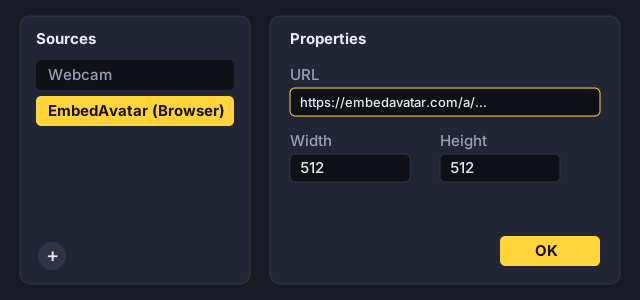
In EmbedAvatar, copy the overlay URL in the Streamlabs, Meld & others tab. In Meld Studio, add a layer of type Browser, paste the URL and adjust the size to your avatar.
2. Create and open the control page
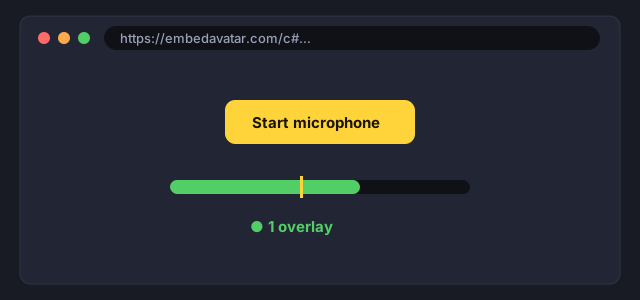
Create the control page link in the assistant, open it in Chrome, Edge or Firefox, click Start microphone and allow the microphone.
Tips
- Keep the control page tab open and disable energy saving for it if possible.
- The assistant shows whether the control page is connected.
- Noise or keyboard triggers speaking? Set the threshold in the “Streamlabs, Meld & others” tab below the control page status (preset “Noise-proof” or Calibrate). The level meter shows live what the control page measures. A headset or a microphone close to your mouth helps more than any setting.